
To reduce payroll errors, verify employee information during onboarding, connect time tracking with payroll, require manager approval for hours and changes, preview payroll before submission, separate data entry from approval, maintain a payroll deadline calendar, and reconcile payroll with tax filings and the general ledger. Software helps, but reliable controls are still necessary.
Most payroll mistakes are not math mistakes. They are process gaps that let bad data reach the payroll run, then surface on payday when there is no time left to fix them. Reducing payroll errors means tightening the steps that feed payroll, not asking your payroll administrator to be more careful.
Why Payroll Errors Happen: The Process Gaps Behind Them
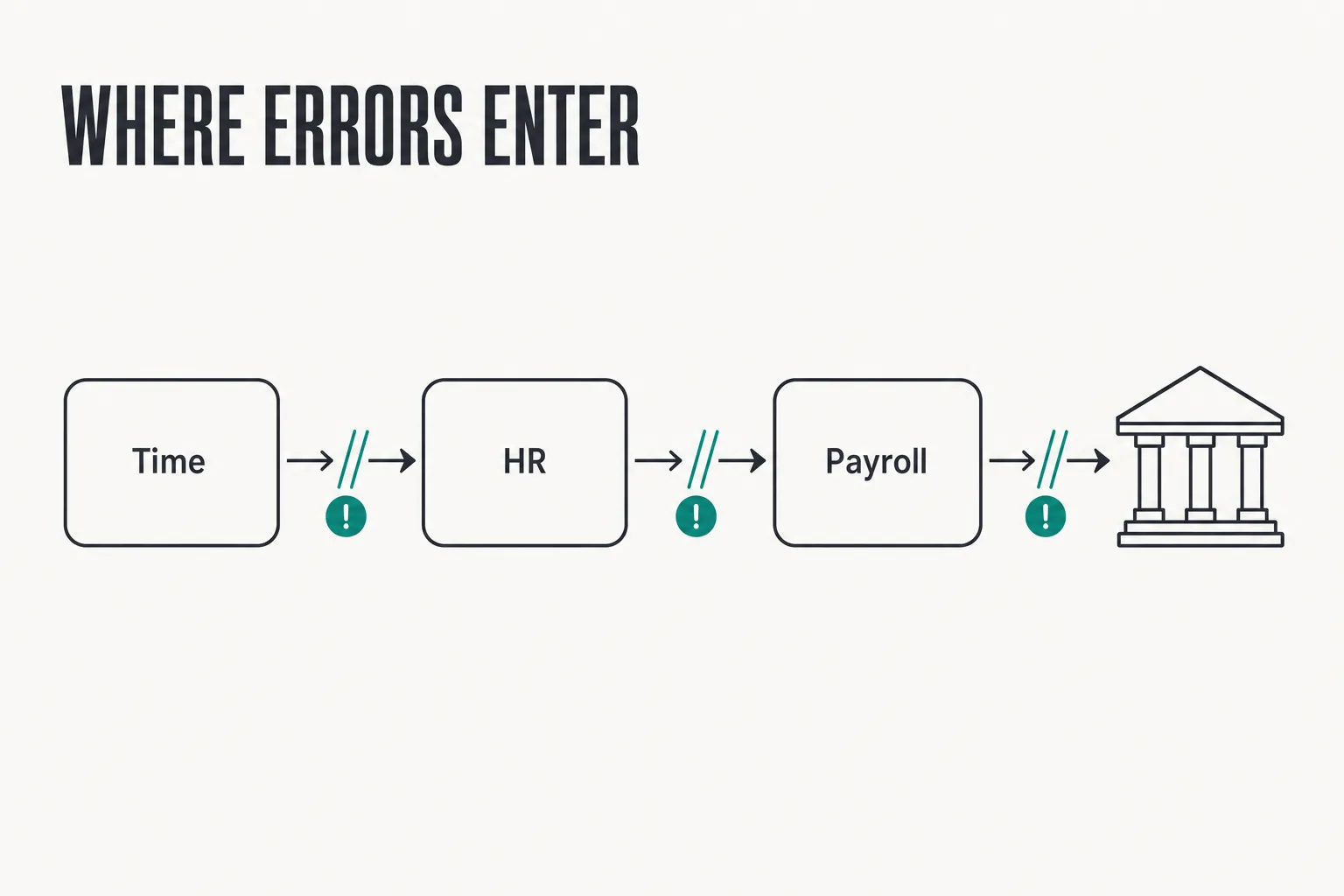
Errors start upstream: a pay rate entered from a verbal agreement, a timesheet approved without review, a raise patched in by hand after the cutoff. Four patterns cause most of the damage.
- Manual re-keying. Every time hours or rates move between time tracking, HR, and payroll by copy and paste, you create a new place for a typo.
- Mid-cycle changes. Raises, terminations, and benefit elections arrive after the deadline and get handled outside the normal process.
- No separation of duties. On small teams, one person enters the change and approves it, so nothing catches the error before funds move.
- Stale tax setup. Employers with staff in several states drift out of date on withholding and unemployment registrations.
Common Payroll Errors That Create Financial and Compliance Risk
Worker misclassification. Misclassifying an employee as an independent contractor, or treating a non-exempt employee as exempt, can create back-pay, tax, and penalty exposure. The IRS weighs behavioral control, financial control, and the type of relationship between the parties rather than what the contract calls the worker.
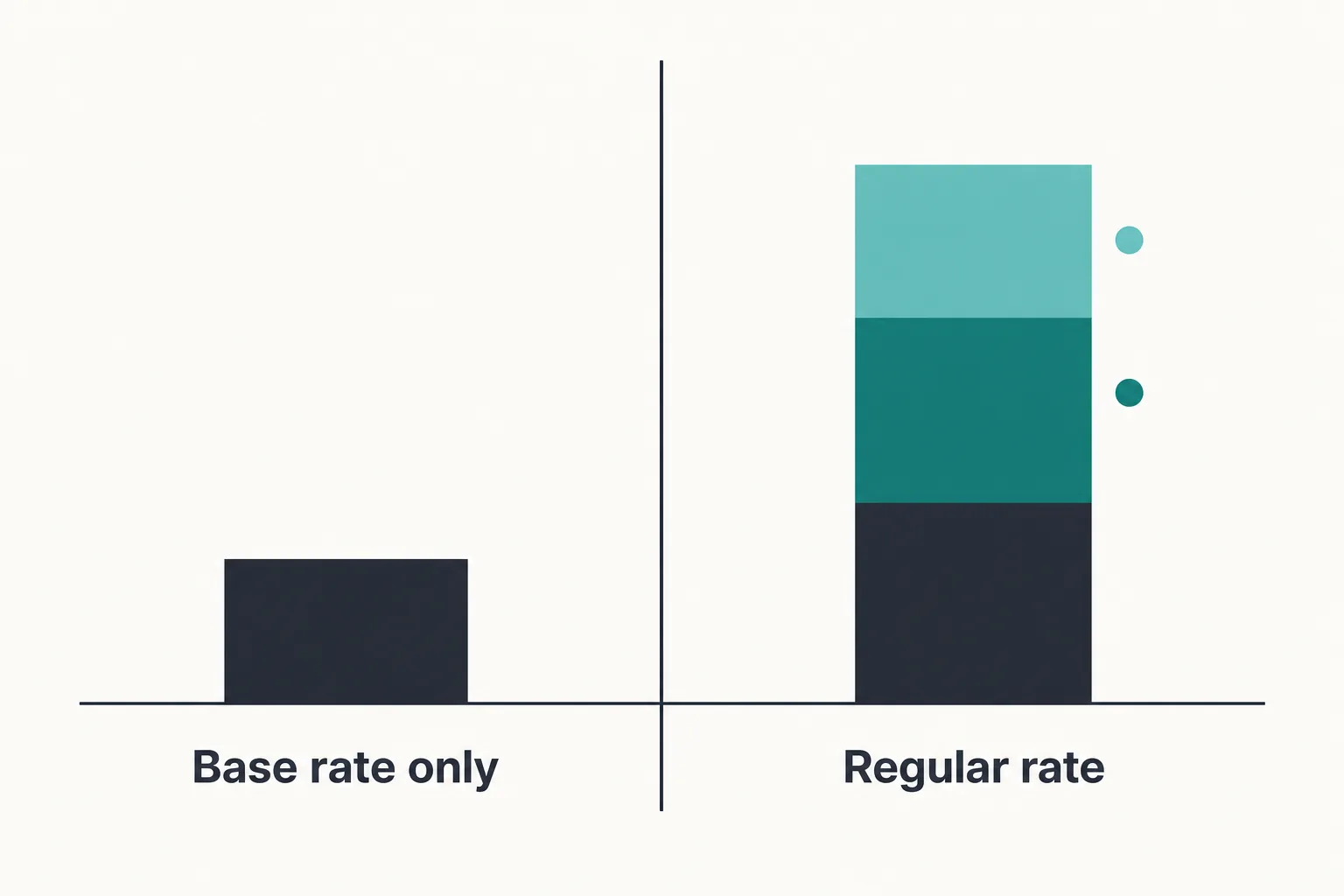
Miscalculated overtime. A common cause is computing the premium on the base hourly wage alone. Under the Fair Labor Standards Act, shift differentials and nondiscretionary bonuses count toward the total compensation used to determine the regular rate, so leaving them out understates what is owed.
Withholding and deposit failures. Wrong federal or state withholding, incorrect unemployment setup, and late deposits generate penalties and interest that are avoidable.
Final paychecks. Final paychecks require extra review because termination dates, unused PTO, commissions, benefits, deductions, and state-specific payment deadlines may all affect the final amount.
Untracked balances. PTO accruals, garnishments, and unreimbursed expenses that nobody reconciles surface months later as a lump-sum problem.
Other errors to monitor. Also check employee bank details, new-hire reporting, benefits and deduction changes, bonuses and commissions, multiple pay rates, duplicate employee records, pay frequency, work location, direct-deposit failures, and terminated employees who remain active in the payroll system.
Seven Practical Ways to Reduce Payroll Errors
1. Fix the intake, not the output. Collect the W-4, I-9, direct deposit details, pay rate, classification, and work location before the first shift. Contractors on federally funded projects have one more layer to manage, and our walkthrough on filing the WH-347 form shows how each worker’s trade and job site carry into the weekly certified report. Make a signed offer letter or rate-change form the single source of truth for compensation, and assign department, accounting code, and exempt status at setup.
2. Integrate time tracking with payroll. Digital clock-in replaces estimated hours. A direct sync, or at minimum a validated import file, removes the re-keying step. Add supervisor approval with a hard deadline ahead of the payroll cutoff.
3. Automate the calculations you still do by hand. Spreadsheet formulas break silently when rows are inserted or sorted. Payroll software applies current tax tables without relying on someone remembering a rate change. Automation eliminates arithmetic errors, not bad inputs.
4. Run a pre-payroll preview every cycle. Compare gross pay to the prior period and investigate variances above a threshold you set. Check headcount against the active roster, flag zero-hour and unusually high-hour records, and confirm each new hire, termination, and rate change appears exactly once.
5. Separate entry from approval. No one person should both change a pay rate and release the payroll. On very small teams, the owner or an outside accountant can be the second set of eyes. Keep an audit trail of who changed what.
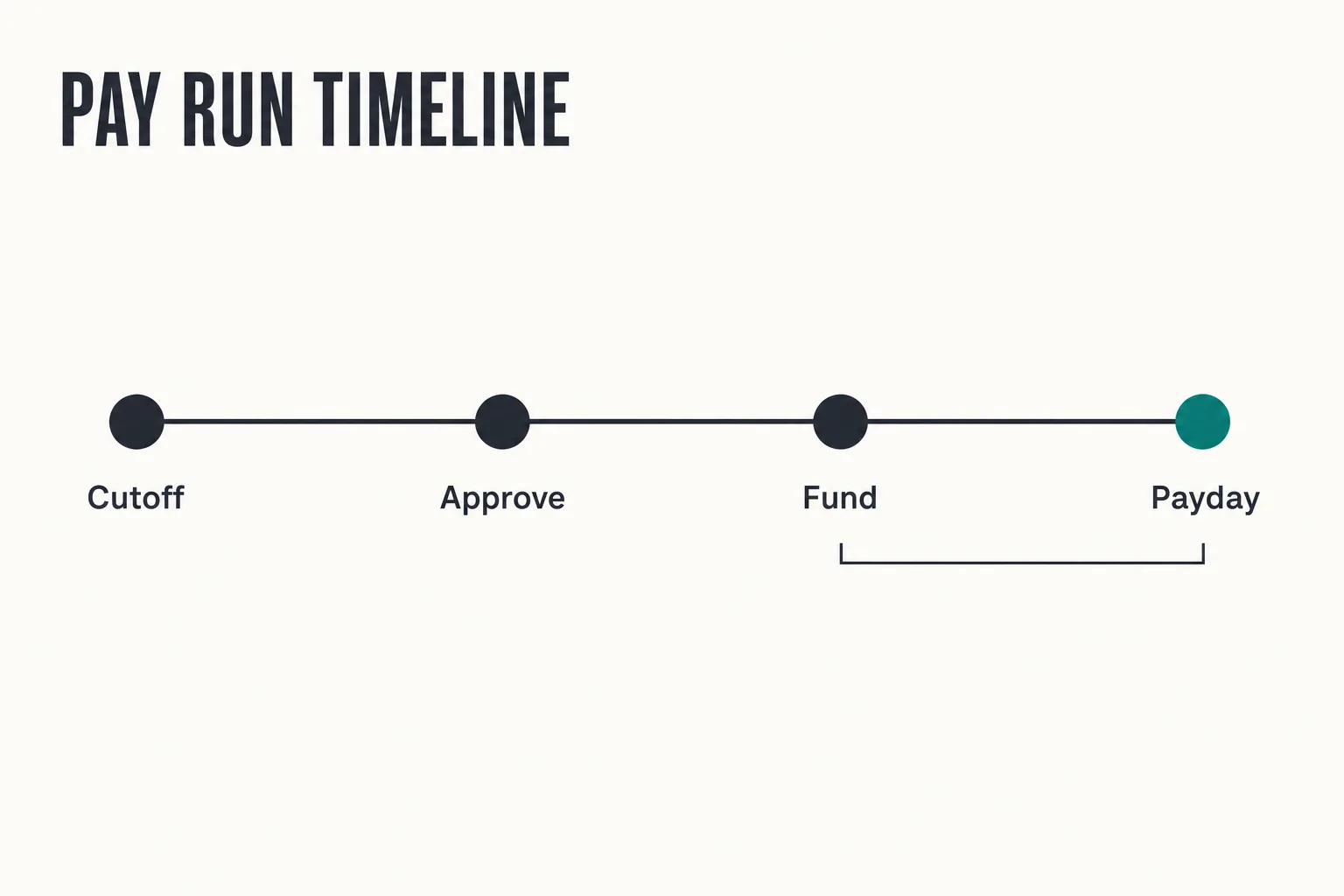
6. Keep a payroll calendar and a written checklist. Map pay dates, banking holidays, cutoff times, deposit due dates, and filing deadlines for the full year, including the funding lead time your bank requires. The checklist matters most the week your payroll administrator is out sick.
7. Audit quarterly, not just at year-end. Reconcile payroll registers to the general ledger and to your quarterly filings. Re-test classification for anyone whose duties or pay changed. Finding a withholding error in Q2 is far cheaper than finding it on a W-2 in January.
For businesses that need broader support, PBTSI connects Payroll & HR with bookkeeping, tax, and financial operations services through one remote, technology-enabled accounting team. Explore Payroll & HR support or Financial Operations and Management services.
A Payroll Error-Prevention Checklist for Every Pay Run
Before approving payroll, confirm that all new hires, terminations, pay-rate changes, timesheets, overtime, PTO, bonuses, deductions, and reimbursements are included correctly. Compare the current payroll register with the previous pay period, investigate unusual changes, confirm bank funding, and verify that payroll has a separate reviewer. After processing, reconcile the payroll register with the general ledger and retain the approval record.
| Payroll stage | What to verify |
|---|---|
| Before the pay period | New hires, terminations, pay-rate changes, tax forms, work locations |
| Before cutoff | Timesheets, overtime, PTO, bonuses, commissions, deductions |
| Before approval | Headcount, gross-pay variances, direct-deposit changes, bank funding |
| After processing | Payroll register, employee payments, tax deposits, rejected payments |
| Monthly or quarterly | General ledger, filings, PTO, garnishments, W-2 data |
How to Correct a Payroll Error Before It Becomes a Bigger Problem
1. Verify before you promise. Confirm the discrepancy against timesheets, the pay register, and the employee’s setup record. 2. Communicate specifics. Give the employee the cause, the corrected amount, and the date they will receive it. 3. Underpayments. Issue an off-cycle payment rather than rolling the shortfall into the next scheduled run. 4. Overpayments. Before recovering an overpayment from future wages, review the applicable state wage-deduction rules, your written policy, and any required employee notice or authorization. When in doubt, consult qualified employment counsel or a payroll tax professional. 5. Fix the filings. If the error crossed a tax reporting boundary, employers correct prior-year wages by filing Form 941-X and Form W-2c. 6. Change the process. Document the root cause and adjust the step that allowed it, or you will correct the same error next quarter.
Create a Payroll Discrepancy Process for Fast Corrections
A payroll discrepancy is any difference between what an employee should have been paid and what they received, whether the cause is hours, rate, deductions, or withholding. Give employees a short discrepancy form capturing the pay period, expected amount, amount received, and supporting detail, and commit to a response time.
Then track submissions by category. If most trace back to unapproved timesheets, you have found the step that keeps failing. Plan for the processing window when your payroll system is locked for editing: log requests during that period instead of letting them disappear.
Frequently asked questions
How long does an employer have to correct a payroll error?
What does payroll discrepancy mean?
Is payroll software enough to eliminate errors?
What should I check before submitting payroll?
How often should payroll be audited?
Can payroll outsourcing reduce errors?
How do I correct an employee’s payroll mistake?
Make Payroll Accuracy a Repeatable Business Process
Payroll accuracy is a systems problem, not a diligence problem.
If you have the appetite for two changes this quarter, make them clean onboarding data and integrated time tracking, because they remove the inputs that cause many downstream errors.
If payroll errors continue despite having software and checklists, the problem may be spread across your HR, payroll, bookkeeping, and tax processes. PBTSI provides integrated Payroll & HR and outsourced accounting support to help growing businesses review those connected workflows, improve reporting, and establish more reliable controls. Schedule a consultation or complete the pre-qualification assessment.